
Empty sales

Page title Sales. On a wide screen the description is: Sell from a warehouse or storefront bin. … (see Sales for the full text).
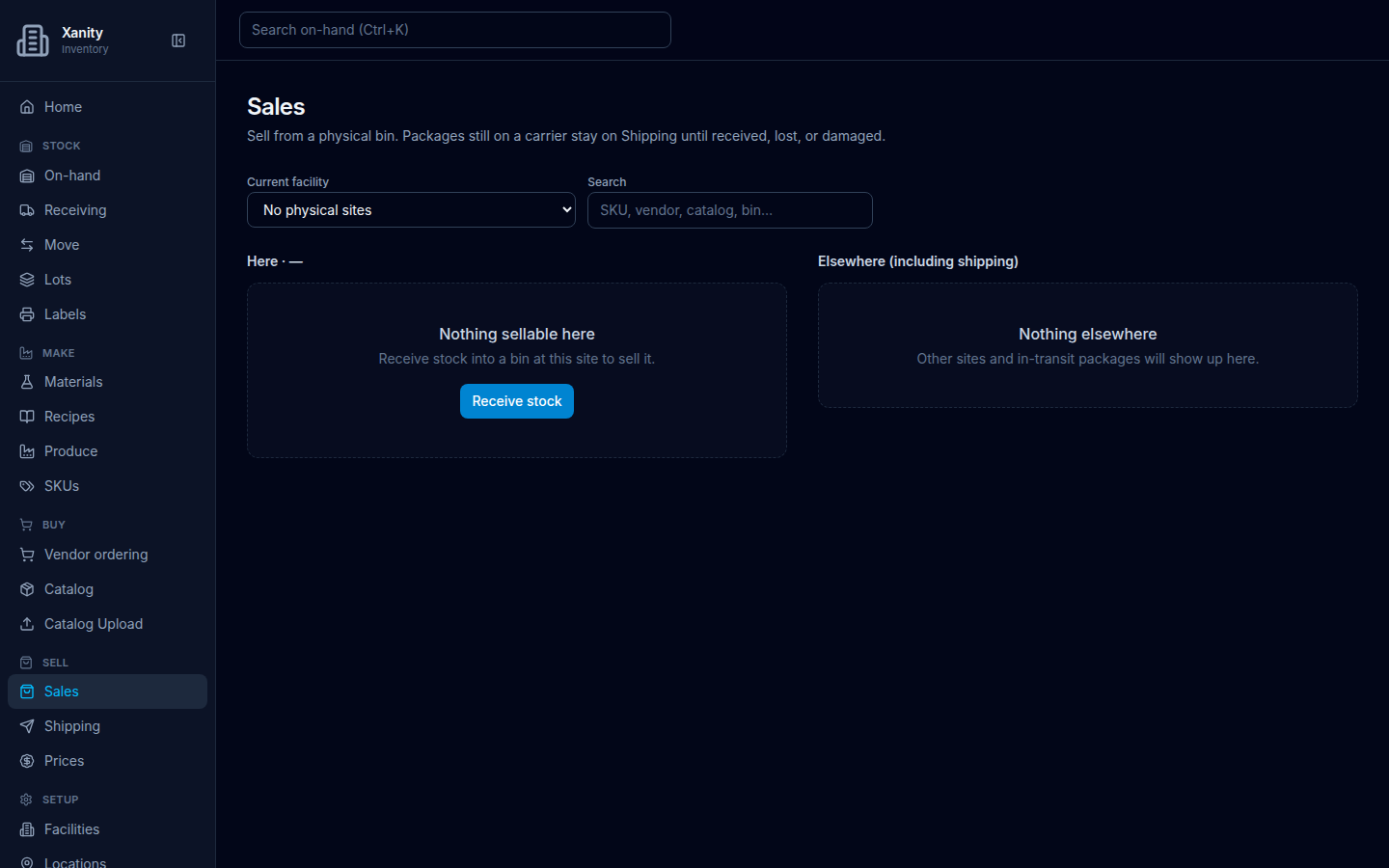
Roles: ADMIN SALES INVENTORY_CLERK. Sidebar: Sell → Sales (/sales).

Sales on an empty company: Current facility No physical sites, Here empty Nothing sellable here with Receive stock, Elsewhere empty Nothing elsewhere with no button.
Desktop Sales with no stock. Here · —: Nothing sellable here / Receive stock into a bin at this site to sell it. Next click: Receive stock. Elsewhere (including shipping): Nothing elsewhere / Other sites and in-transit packages will show up here. — no button. In this earlier capture the site picker was labeled Current facility; it is now Origin facility and reads No origin sites when empty.

TODO screenshot: recapture empty Sales showing Origin facility / No origin sites and the empty Instant section — route /sales, role ADMIN.

What to do

  1. Open Sell → Sales.
  2. The Instant section reads No instant recipes at this site.
  3. If this site has nothing to sell, read Nothing sellable here / Receive stock into a bin at this site to sell it.
  4. Choose Receive stock. That opens Receiving.

Elsewhere has a sentence and no next click. The copy is generic inventory language — item, site, package — not peptides or vials.

Phone layout
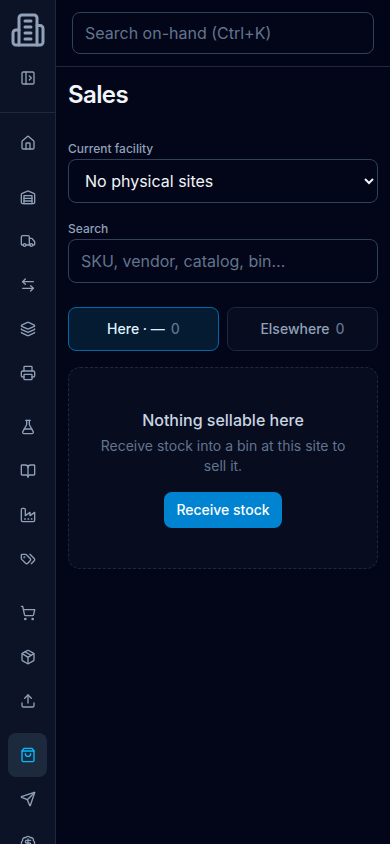
Sales phone layout: Stock location tabs Here 0 and Elsewhere 0, empty state Nothing sellable here, Receive stock into a bin at this site to sell it, Receive stock.
Phone width (390×844). Tabs Here · — and Elsewhere each show 0. The same sentence and Receive stock button sit under the Here tab.

Recording a sale after stock exists is on Sales.