 ReagentFlow
POS
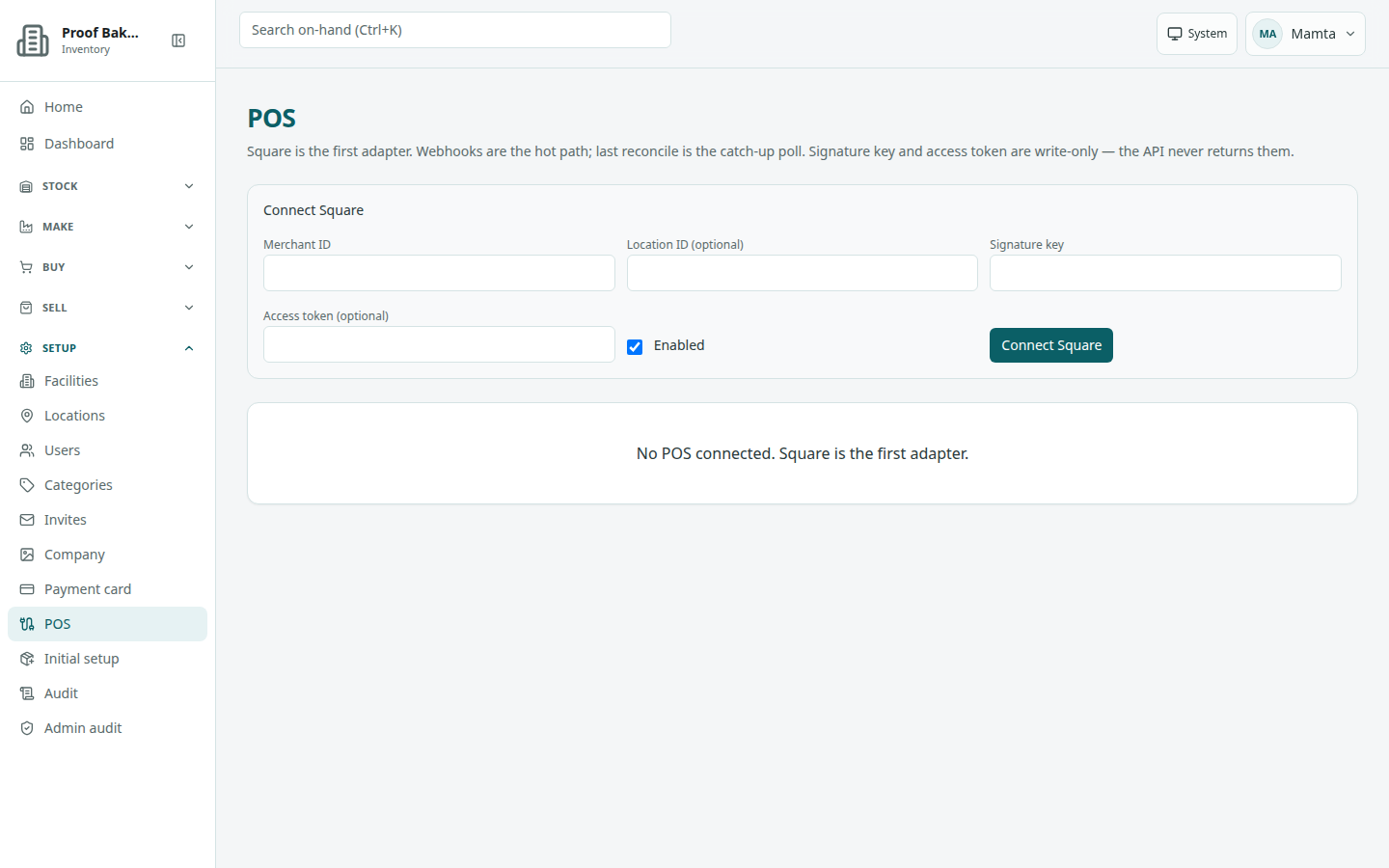
Page title POS. Connect a Square point-of-sale account so sales rung up in Square come off ReagentFlow inventory. Description on screen: Square is the first adapter. Webhooks are the hot path; last reconcile is the catch-up poll. Signature key and access token are write-only — the API never returns them.
Before you start
Get these from your Square developer dashboard: the merchant ID, the location ID (if you want only one Square location to count), the webhook signature key, and an access token. ReagentFlow never shows the key or token back to you after you save them.
Connect Square
- Open Setup → POS. With nothing connected the page says No POS connected. Square is the first adapter.
- In the Connect Square form, fill Merchant ID (required).
- Optional: Location ID. When set, only sales from that Square location change inventory.
- Fill Signature key. Optional: Access token.
- Leave Enabled ticked to start taking sales now, or clear it to connect without taking sales yet.
- Choose Connect Square (it reads Connecting…). Success: Square connected.
How Square sales reach inventory
- A Square line item is matched to a ReagentFlow SKU when the item name (or its variation or catalog note) is the SKU code. Give Square items the same code as the SKU.
- Lines that do not match a SKU code are not applied.
- The same Square sale is applied only once.
- A void or refund in Square is recorded but does not put stock back. Adjust stock yourself if the goods came back.
Read a connection
Each connection shows Square, an Enabled or Disabled badge, and the merchant ID (with the location ID when set). Details:
- Last webhook — when Square last sent a sale.
- Last reconcile — when ReagentFlow last caught up on anything missed.
- Signature key and Access token — Set or Not set.
A dash means it has not happened yet. When the last sale could not be applied, the reason shows in a red message on the card.
Pause or disconnect
- Disable pauses the connection; Enable turns it back on.
- Disconnect removes the connection. There is no confirmation step.