
Empty vendor ordering

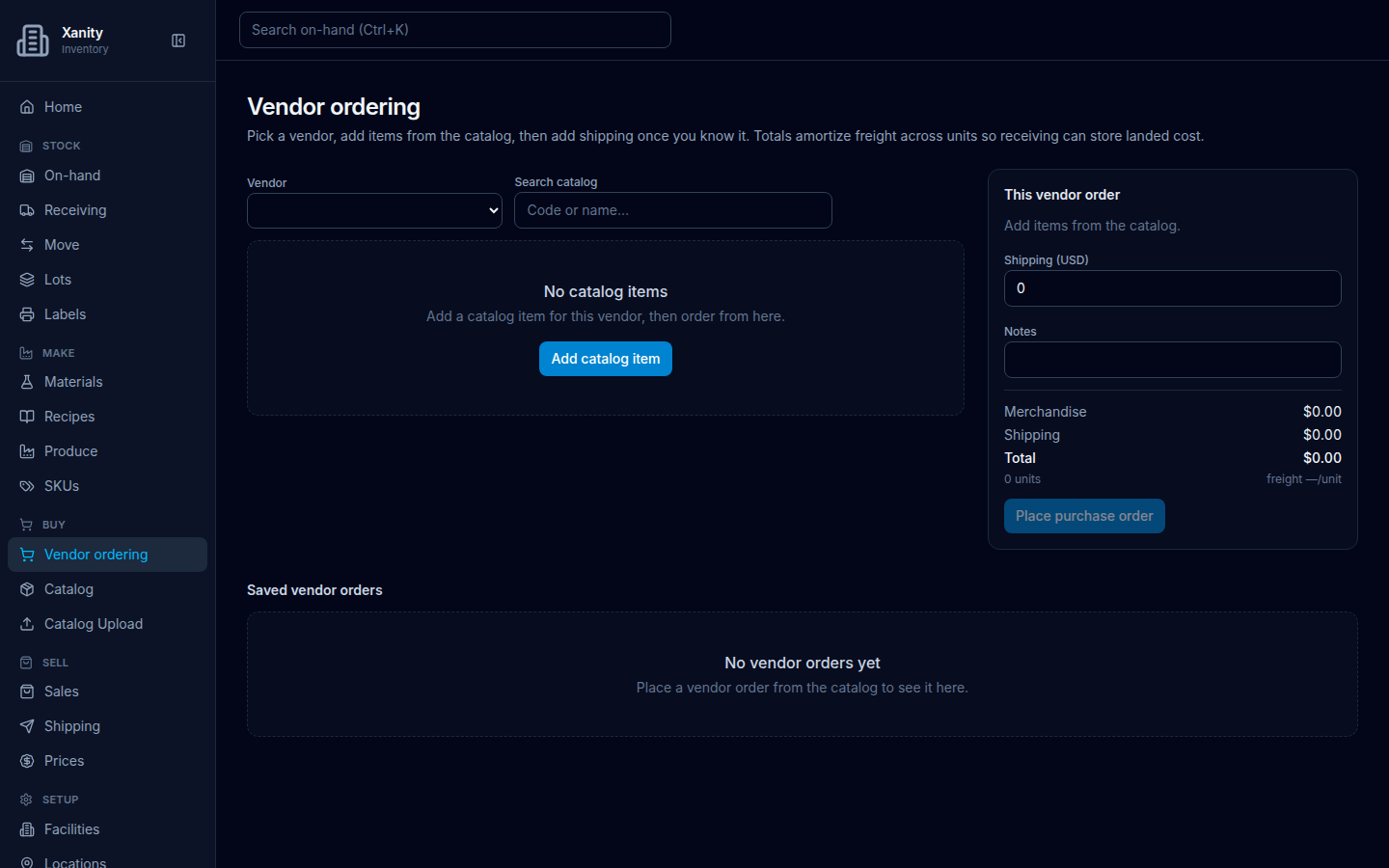
Page title Vendor ordering. Description on screen: Pick a vendor, add items from the catalog, then add shipping once you know it. Totals amortize freight across units so receiving can store landed cost.
Roles: ADMIN PURCHASING INVENTORY_CLERK. Sidebar: Buy → Vendor ordering (/orders).

Vendor ordering on an empty company: blank Vendor, Search catalog, empty No catalog items with Add catalog item, cart This vendor order, and Saved vendor orders No vendor orders yet without a button.
No vendor catalog yet. Catalog empty state: No catalog items / Add a catalog item for this vendor, then order from here. Next click: Add catalog item. Saved list: No vendor orders yet / Place a vendor order from the catalog to see it here. — no second button while the catalog is empty.

When the catalog is empty

  1. Open Buy → Vendor ordering.
  2. Read No catalog items / Add a catalog item for this vendor, then order from here.
  3. Choose Add catalog item. That opens Catalog.

Saved vendor orders on the same screen stays No vendor orders yet / Place a vendor order from the catalog to see it here. There is no Create vendor order button until the catalog has items.

When the catalog has items, but no orders yet
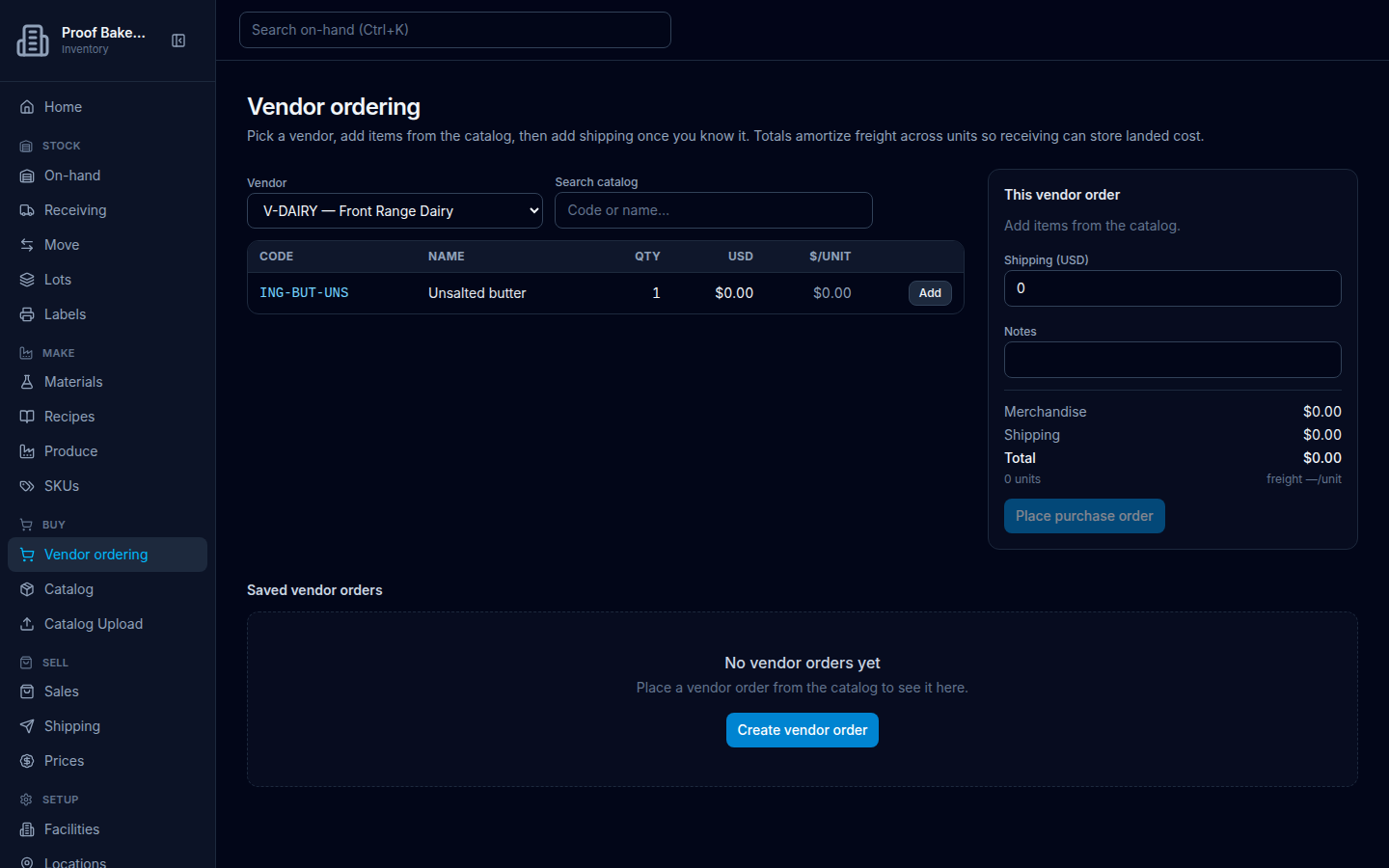
Vendor ordering on Proof Bakery: vendor V-DAIRY Front Range Dairy with catalog line Unsalted butter, and Saved vendor orders No vendor orders yet with a Create vendor order button.
Proof Bakery already has catalog lines. Saved list is still No vendor orders yet / Place a vendor order from the catalog to see it here. Next click: Create vendor order.
  1. Open Buy → Vendor ordering on a company that already has catalog items.
  2. Under Saved vendor orders, read the same sentence.
  3. Choose Create vendor order to move to the catalog search on this page.