 ReagentFlow
Home screen
Page title Home. Description on screen: Today’s work: reorder alerts, holds waiting release, receipts missing paperwork, and packages nearing expiry or retest.
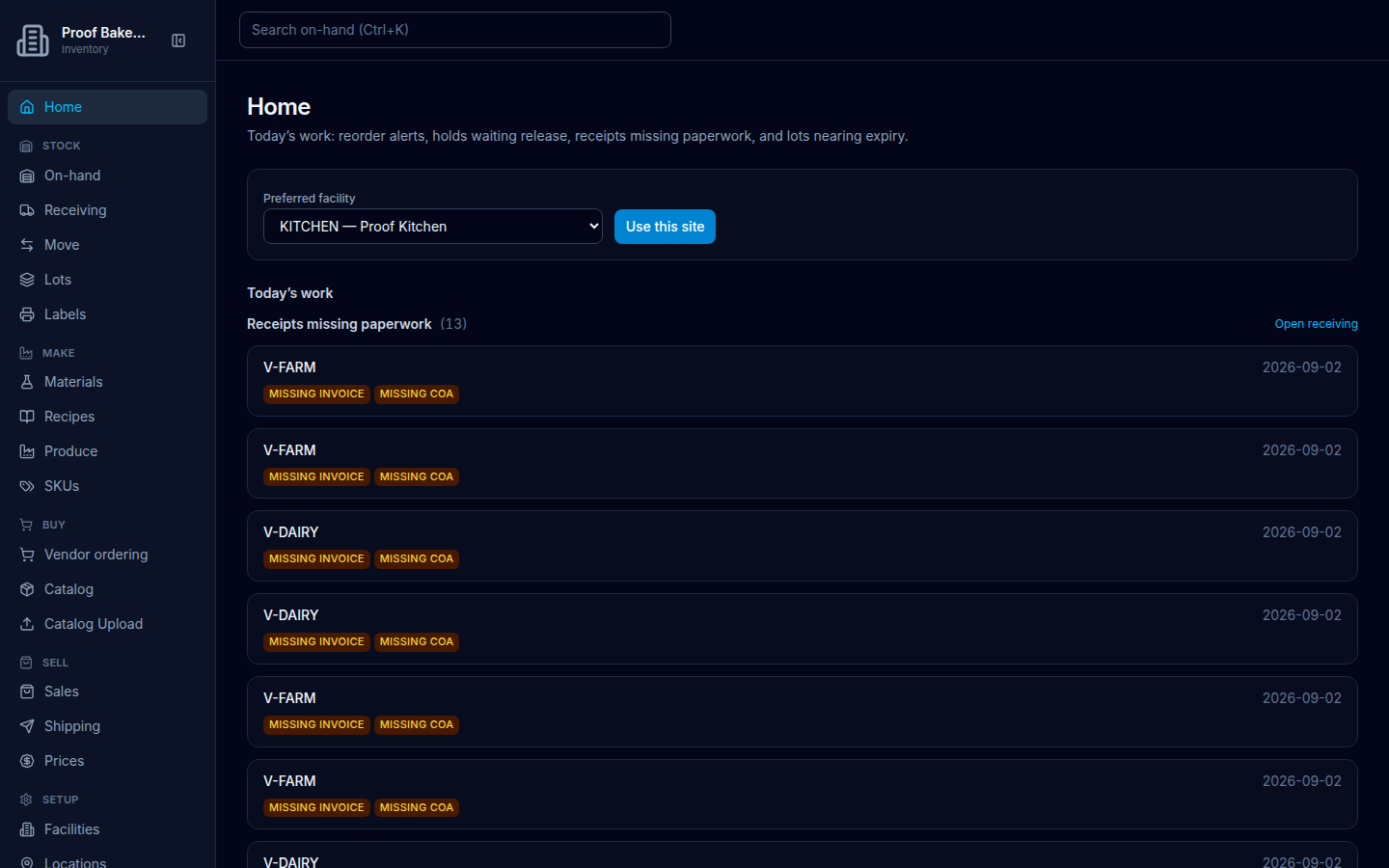
Choose a site
- Open Home.
- Set Preferred facility (options look like
KITCHEN — …; first choice Select a site; empty: No sites). Once a site is in use, the field label reads Current Facility. - Choose Set as preferred (it reads Saving…).
Success: Preferred facility saved.
Floor and the instant-sale lists on Sales also read this site (see Floor). For company-wide totals, see Dashboard.
Until a preferred site is saved, inbound and on-hand wait. Empty title: Inbound and on-hand need a site.
Today’s work
Heading Today’s work groups follow-ups for the preferred site. One list verified in this capture is Receipts missing paperwork (with a count when there are rows) and the link Open receiving.
Each receipt row can show chips for missing paperwork. The chips display in uppercase (MISSING INVOICE, MISSING COA); the accessible / link text is Missing Invoice and Missing CoA.
- Missing Invoice — complete invoice paperwork from Receiving (Invoice # (optional) and related receive fields). See Receiving.
- Missing CoA — attach a CoA on receive (when CoA present (optional) is Yes) or later on Lots with Attach CoA / Attach CoA file.
Reorder alerts
Heading Reorder alerts (with a count when there are rows). People who can open Orders also get a link Open orders.
Empty when a site is chosen: Nothing to reorder / No raw SKUs at this site have velocity and 14 days of supply or less. Empty without a site: Choose a site / A preferred PHYSICAL or STOREFRONT facility is required before Home can compute raw-SKU days of supply.
When alerts exist, the table columns are SKU, Severity, Remaining, Velocity, and Days of supply. Severity badges are OUT or LOW. The SKU name links to that SKU’s detail page. Velocity is shown as a quantity per day. Days of supply is shown against the 14-day horizon.
Inbound and on-hand at this site
Inbound (link Open shipping) lists transfers destined here. Empty: Nothing in transit / Transfers destined here will show up on a carrier. Each card can offer Receive / print label.
On-hand at this site (link Full on-hand) shows up to 20 balances. Columns: SKU, Vendor, Bin, On shelf. Quantity uses the same held/available split as On-hand. Empty: Shelf is empty / Receive a vendor shipment or an inbound transfer.