 ReagentFlow
Lots
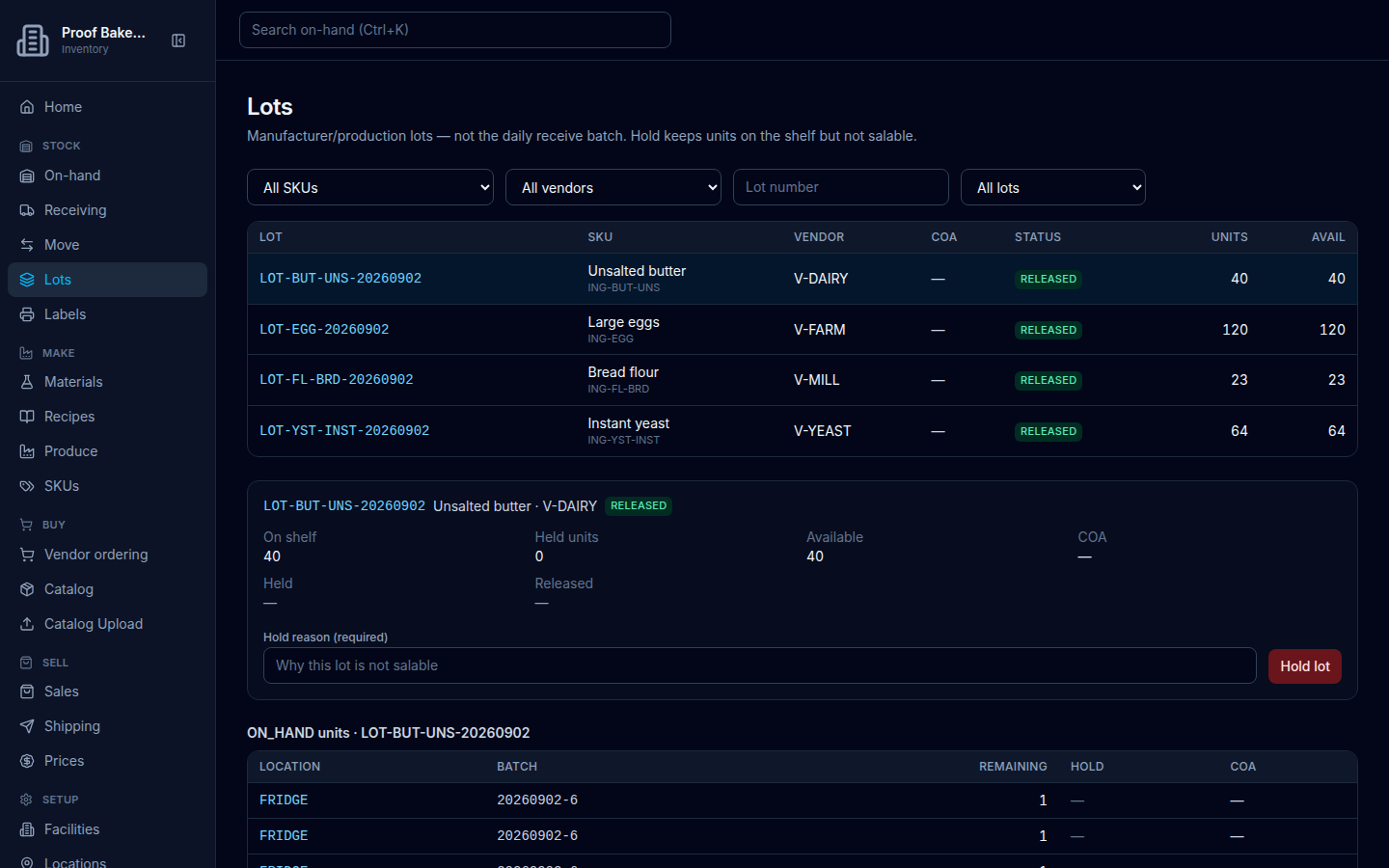
Page title Lots. Description on screen: Manufacturer/production lots — not the daily receive batch. Hold keeps units on the shelf but not salable. Dual-control release (default) needs a second person to confirm. Recall family holds the lot and on-hand descendants; already-sold descendants are listed to notify (no email). CoA, SDS, and other files live on the selected lot. Genealogy shows RAW parents on a FINISHED lot and FINISHED children on a RAW lot.
Find a lot
- Open Lots.
- Filter with All SKUs, All vendors, placeholder Lot number, and held filter All lots / Held / Not held.
- Select a row to open the detail panel.
Table columns: LOT, SKU, VENDOR, COA, STATUS, UNITS, AVAIL (headers display uppercase). Status values include RELEASED and held states. If some units are held under a released lot, Units also shows [count] held.
Empty: No lots yet / Receive stock with a lot number to start tracking lots. plus Receive stock for roles that can receive. See empty Lots.
Attach CoA
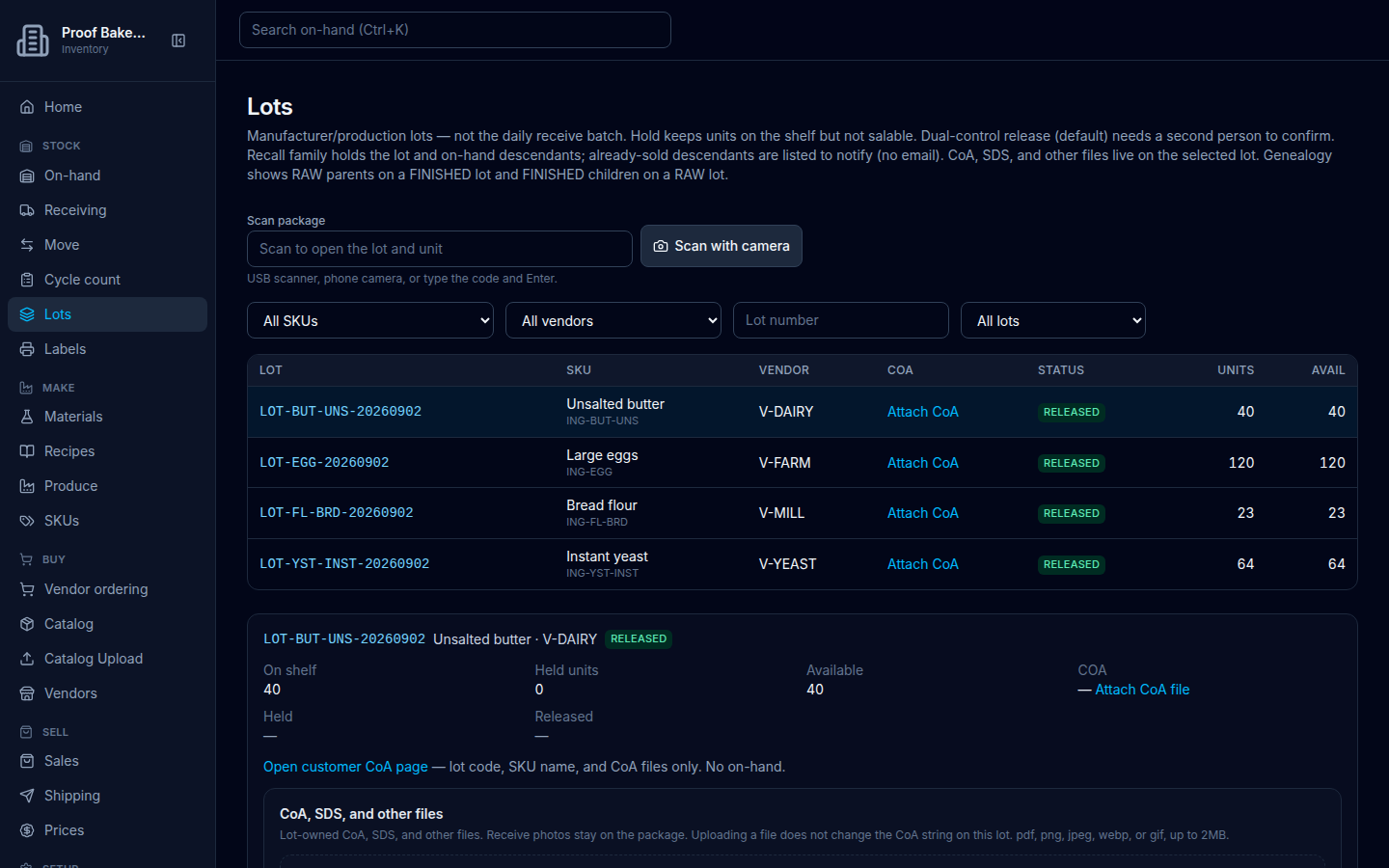
When the COA cell is empty, hold-capable roles see Attach CoA. On the detail panel, Attach CoA file opens the lot documents gallery.
When Customer CoA portal is on for the company, the detail panel also shows Open customer CoA page with helper copy: — lot code, SKU name, and CoA files only. No on-hand. That opens the public lookup for this lot. See Customer CoA portal.
You can also store a CoA file on the lot at receive time by setting CoA present (optional) to Yes and entering a Lot number (optional) — see Receiving. Home lists receipts still missing a CoA under Receipts missing paperwork.
Hold or release a lot
The detail panel lists On shelf, Held units, Available, COA, optional Hold reason, then Held and Released timestamps (with who performed them when known).
- To hold a released lot, fill Hold reason (required) (placeholder Why this lot is not salable) and choose Hold lot (or Holding…).
- To release a held lot, optionally fill Release note (optional) (placeholder Optional note) and choose Release lot (or Releasing…).
Success: Updated. Viewers without hold permission see: Viewing only. Hold, release, and recall need ADMIN, INVENTORY_CLERK, or RECEIVING — not Sales.
Hold a single unit
Under ON_HAND units · the lot number, columns are LOCATION, BATCH, REMAINING, HOLD, COA. Empty: No ON_HAND units for this lot.
Select a unit. Then use Unit hold reason (required) / Hold unit, or Unit release note (optional) / Release unit. Placeholders: Why this unit is not salable or Optional note.
If the lot is already held and the unit is not: This unit is already blocked by the lot hold. Releasing the lot still leaves a unit-level hold if you set one.