 ReagentFlow
What ReagentFlow is
An inventory and catalog application. The login screen titles it ReagentFlow with the subtitle Inventory & Catalog.
The first time you sign in, and again whenever a new version of the Terms is published, a full-page Terms screen comes before everything else. Choose Accept Terms to open the app (see Accept the Terms).
After sign-in the left sidebar is company-branded (name and optional logo) with the subtitle Inventory. Across the top of the main column you see:
- A search field labeled Search on-hand with placeholder Search on-hand (Ctrl+K). A Viewer without a seat does not get this field.
- The theme button (System, Light, or Dark). See Theme.
- For a global administrator working inside a company, a working-tenant marker (see Tenants).
- The account menu: your photo or initials and your name. It holds Profile, Change password, and Logout. See Profile, password, and theme.
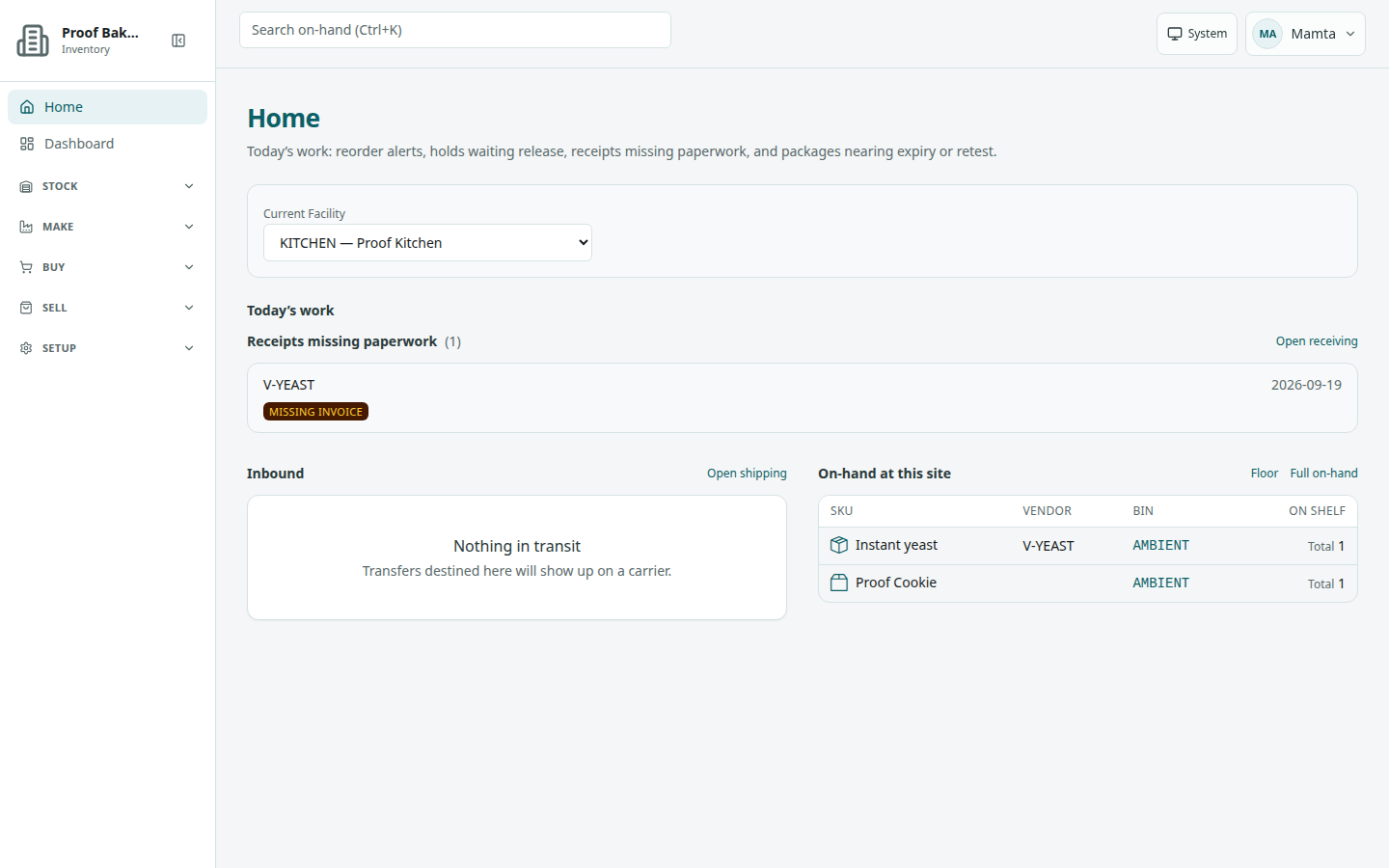
/home). Sidebar groups on the left; Search on-hand, the theme button, and the account menu across the top.What you can open from the sidebar
Destinations sit under collapsible groups. Exact labels, in the order the app lists them (items and whole groups you do not have a role for are hidden; see Roles):
- Home and Dashboard (standalone, not in a group)
- Stock — On-hand, Receiving, Move, Cycle count, Lots, Labels
- Make — Materials, Recipes, Produce, SKUs
- Buy — Vendor ordering, Catalog, Catalog Upload, Vendors
- Sell — Sales, Floor, Shipping, Prices
- Setup — Facilities, Locations, Users, Categories, Invites, Company, Payment card, POS, Initial setup, Audit, Admin audit
- Admin — Tenants and Pack review (global administrators; Pack review appears only when public pack publishing is turned on)
A Viewer without a seat sees a single item, Sales items. See Sales items (Viewer).
How groups open and close
Only one group’s items stay open at a time. Opening another group closes the previous one. The group that contains the page you are on opens automatically when you navigate. Clicking the open group’s header collapses it. Group headers use Expand … / Collapse … titles (for example Expand Stock). The sidebar also has Collapse navigation / Expand navigation to switch between the full sidebar and a narrow icon rail.
This guide documents sign-in, accepting the Terms, company signup, your profile and password, roles, company settings, users and seats, invites, the payment card, POS, the admin audit, empty lists, Home and Dashboard, On-hand, Receiving, Lots, Sales, the Viewer sales list, Floor, Prices, Shipping and Labels, SKUs, Recipes, Materials, material packs, Vendors, and Tenants. Other sidebar items (Move, Cycle count, Produce, Catalog Upload, Facilities, Locations, Categories, Initial setup, Audit) are real in the app; they are not described as full workflows here yet.
The login page itself always says ReagentFlow. The company comes from the address you open, not from a company picker on that screen. Change the company name and logo after sign-in under Setup → Company.